
Views: 0
Instead of trying to drag people to your website, your product literally lives inside ChatGPT. Users can open it in the same window where they already write emails, plan launches, and debug code. You get GPT-5 level intelligence on tap plus a native UI, billing, and distribution.
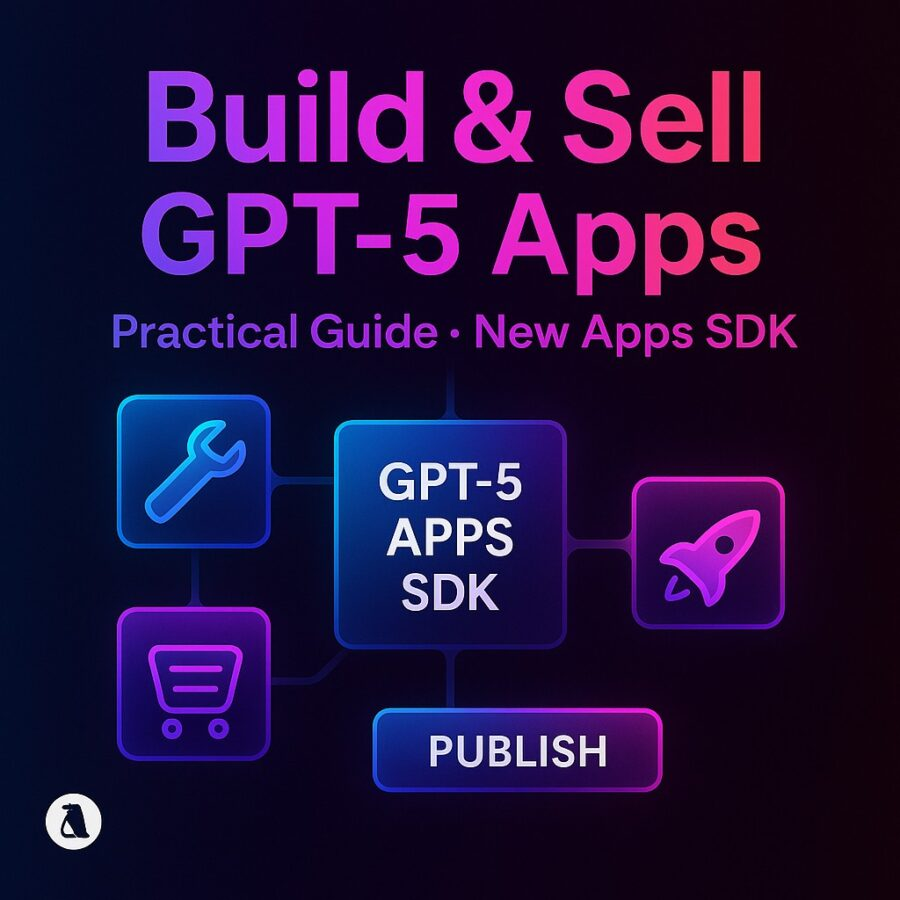
That is the promise behind Build and Sell GPT-5 Apps: A Practical Guide to the New Apps SDK.
OpenAI’s new Apps SDK lets you build full apps that run inside ChatGPT, powered by GPT-5 and GPT-5.1, with your own tools, data, and UI. Apps are built on the Model Context Protocol (MCP), are open source friendly, and can, in OpenAI’s words, reach hundreds of millions of ChatGPT users. (OpenAI Help Center)
If you are a solo dev, agency, or small product team, this is basically an app store moment for GPT-5.
In this guide we will walk through what the Apps SDK actually is, how GPT-5 fits in, how to design your first app, and how to sell it without feeling like you need a whole growth department.
What “GPT-5 Apps” Really Are Now
Before we talk money, we need to be clear on the stack.
GPT-5 and GPT-5.1 as your app engine
GPT-5 is OpenAI’s fifth generation model. It is multimodal, can handle code, text, and images, and is built as a system that routes between fast and thinking models depending on the task. (OpenAI)
Key points:
- GPT-5 produces high quality code and front end UI with minimal prompting.
- It has stronger agentic abilities and can run long chains of tool calls. (OpenAI)
- There are smaller variants like GPT-5 mini and thinking mini for cheaper or lower latency workloads. (OpenAI Platform)
On top of that, GPT-5.1 is the latest upgrade. It introduces GPT-5.1 Instant and GPT-5.1 Thinking, which improve instruction following, warmth, and style. (The Verge)
For you, that means:
- GPT-5 and GPT-5.1 give you the reasoning and coding brain for your app.
- The Apps SDK gives you the body and the face.
Apps SDK in one sentence
The Apps SDK lets you design both the logic and the interface of an app that runs inside ChatGPT. It is built on MCP, an open standard that connects ChatGPT to your tools and data, and the SDK extends MCP so your apps can also run anywhere else that adopts the standard. (OpenAI Help Center)
OpenAI’s own description:
- Apps run directly in the ChatGPT interface inside an iframe.
- You define capabilities through an MCP server and a UI component. (OpenAI Developers)
The DevDay recap and press coverage highlight:
- In chat apps and the Apps SDK were introduced alongside GPT-5.
- There is a path to commerce via things like Instant Checkout and the Agentic Commerce Protocol so you can charge for what you build. (The Intellify –)
This is the foundation of Build and Sell GPT-5 Apps: A Practical Guide to the New Apps SDK.
How Apps SDK Fits With Agents And Tools
You will see two main pieces in OpenAI’s developer story now:
- Agents SDK
A lightweight way to build agentic backends that orchestrate GPT models, tools, and workflows. (OpenAI Platform) - Apps SDK
A way to wrap that agentic logic and your tools in a UI that lives inside ChatGPT, wired through MCP and widgets. (OpenAI Help Center)
Think of a GPT-5 app as:
- A GPT-5 or GPT-5.1 model that thinks.
- An Agents SDK backend that calls tools and external APIs.
- An MCP server that exposes those tools and data sources.
- An Apps SDK UI that shows up as a panel inside ChatGPT.
You can build powerful GPT-5 apps without touching the Agents SDK, but combining them gives you more control if you want multi step workflows, voice agents, or heavy tool use. (OpenAI Platform)
Inside The New Apps SDK: Architecture In Plain English
The official quickstart breaks an app into two main parts. (OpenAI Developers)
1. A web component
This is your frontend.
- Built with React, Vue, Svelte, or whatever framework you like.
- Rendered inside an iframe in ChatGPT.
- Communicates with ChatGPT through the Apps SDK widget runtime.
You control layout, colors, inputs, and how results are shown. ChatGPT becomes the shell that hosts your app, not just a text box.
2. An MCP server
This is your backend bridge.
- Implements the Model Context Protocol.
- Exposes tools and resources to ChatGPT, such as:
- Database queries.
- Internal APIs.
- Third party services.
- Database queries.
Model Context Protocol is the connective tissue that lets ChatGPT call into your world in a structured way. OpenAI has published the standard so others can adopt it, which means your MCP server is not locked to one UI forever. (OpenAI Help Center)
Together, these pieces are the chassis for Build and Sell GPT-5 Apps: A Practical Guide to the New Apps SDK.
Step By Step: Build Your First GPT-5 App With The Apps SDK
Let us walk through a practical flow you can follow in a weekend.
We will keep the example concrete: a content brief generator for SMBs that turns a simple idea into a structured blog brief with SEO notes.
Step 1: Pick a sharp use case
Good GPT-5 apps focus on a narrow, painful workflow.
Ask yourself:
- Where do your clients burn time now
- Where does GPT-5 clearly beat a template or a static script
- Where is context from ChatGPT chat useful
In our example:
- SMB owners already brainstorm content in ChatGPT.
- They struggle to turn raw ideas into clear briefs for writers.
- GPT-5 is great at structure and planning.
So an in chat brief builder makes sense.
Step 2: Sketch the conversation and the UI
Apps are conversation first. UI is there to support the chat, not replace it.
Design the flow:
- User describes a topic in the chat.
- App opens in a side panel and asks a few clarifying questions through its UI.
- GPT-5 builds a brief, shows it in a card.
- User tweaks tone, audience, or length.
- App exports the brief to Notion, Google Docs, or email.
In the UI, plan for:
- Inputs for audience, tone, word count.
- A preview pane for the brief.
- Buttons like “Regenerate intro”, “Tighten outline”, “Export”.
This is enough for a Build and Sell GPT-5 Apps: A Practical Guide to the New Apps SDK starter.
Step 3: Wire the MCP server
Your MCP server sits between ChatGPT and your services.
Basic steps:
- Pick a language
- Node, Python, or Go are common choices.
- Node, Python, or Go are common choices.
- Implement the MCP spec
- Define tools such as generate_brief, regenerate_section, export_to_notion.
- Define tools such as generate_brief, regenerate_section, export_to_notion.
- Inside each tool
- Call GPT-5 or GPT-5.1 through the API, using the Agents SDK if you want multi step flows. (OpenAI Platform)
- Call GPT-5 or GPT-5.1 through the API, using the Agents SDK if you want multi step flows. (OpenAI Platform)
For example, generate_brief might:
- Accept fields like topic, audience, tone, length.
- Build a system and user prompt for GPT-5.
- Call gpt-5.1-instant for speed or gpt-5-thinking for deeper reasoning on bigger pieces. (OpenAI)
- Return a structured JSON brief with sections like title, slug, outline, notes.
Because the Apps SDK is built on MCP, once your tools are defined, ChatGPT can see them and call them when users interact with your app. (OpenAI Developers)
Step 4: Build the web component
Now you build the visible part.
From the quickstart:
- Your component is a standard web app that the Apps SDK loads in an iframe.
- The Apps SDK widget runtime lets you receive messages, call tools, and send results back to ChatGPT. (OpenAI Developers)
At a high level:
- On load, your app reads the current chat context and any parameters ChatGPT passes in.
- When the user clicks “Generate brief”, you send a request to your MCP tool.
- You show loading states while GPT-5 works.
- You render the returned brief, with options to tweak and regenerate sections.
You are free to style this like a modern SaaS UI, but remember that it lives in ChatGPT. Keep it clean and compact.
Step 5: Register and test inside ChatGPT
With the MCP server and component ready:
- Follow the Apps SDK docs to register your app with ChatGPT. (OpenAI Developers)
- Use developer mode to test:
- How the app opens from the app picker.
- How it reacts to natural language triggers.
- How it behaves when GPT-5 calls tools in weird orders.
- How the app opens from the app picker.
This is where you tune your prompts and tool definitions so your app feels reliable.
Using GPT-5 Wisely Inside Your Apps
The key to Build and Sell GPT-5 Apps: A Practical Guide to the New Apps SDK is not “always call the biggest model.”
You want a mix of quality, speed, and cost.
Choose the right GPT-5 variant
From the models docs:
- GPT-5.1 is the recommended default for coding and agentic tasks, with configurable reasoning effort. (OpenAI Platform)
- GPT-5 mini is a smaller model for well defined tasks, cheaper and faster. (OpenAI Platform)
Practical use:
- Use GPT-5.1 Instant for quick chat like actions and UI suggestions. (OpenAI)
- Use GPT-5.1 Thinking or GPT-5 thinking for heavyweight analysis or complex generation where quality matters more than latency. (OpenAI Platform)
- Use GPT-5 mini or thinking mini for background tasks where you can trade some quality for cost and speed. (OpenAI Platform)
You can expose this choice as a setting inside your app for power users, or decide based on task type.
Control reasoning effort
The GPT-5 series introduces notions like configurable reasoning and thinking time toggles. (OpenAI)
You can:
- Run light reasoning for small tasks like extracting tags.
- Use extended reasoning modes for planning, audits, or multi step outputs.
This keeps your app snappy most of the time, while still feeling “smart” in the moments users care about.
Monetization: Turning GPT-5 Apps Into Actual Revenue
You are not here just to ship cool toys. You want money.
The nice thing about Build and Sell GPT-5 Apps: A Practical Guide to the New Apps SDK is that OpenAI is clearly thinking about commerce.
Agentic commerce and checkout
DevDay recaps mention:
- The Apps SDK launched in preview along with GPT-5.
- There is an Agentic Commerce Protocol and Instant Checkout for commerce flows, which makes it easier to sell digital goods and services directly in ChatGPT. (The Intellify –)
While details are still evolving, the general pattern is:
- Your app can offer paid upgrades, add ons, or usage tiers.
- ChatGPT can handle the actual checkout experience with native UI and payment rails.
Think of it like in app purchases, but for conversational apps.
Pricing models that make sense for SMB buyers
A few practical options:
- Per seat subscription
Charge per user per month for access to higher limits, team features, or extra integrations. - Per workspace or company
Flat monthly for small teams, with a ceiling on usage. - Usage tiered
Free tier with caps on runs or tokens, then paid tiers for heavier use.
Because GPT-5 and GPT-5.1 are priced at the API level, you should estimate your costs per “unit” of work and price with a healthy margin. (OpenAI Platform)
Distribution: Getting Users Without Building Your Own Audience From Scratch
The best part of building on the Apps SDK is distribution.
OpenAI’s announcement about apps in ChatGPT frames it like this:
- Apps meet users in the chat, adapting to context.
- For developers, building with the Apps SDK lets you reach over 800 million ChatGPT users at the right moment. (OpenAI)
That changes your go to market strategy.
Contextual discovery
Inside ChatGPT:
- Users can open apps directly from the apps panel.
- ChatGPT can suggest apps based on what the user is trying to do. (OpenAI)
So if your app is a content brief generator, it might be suggested when users type things like “Help me plan a blog about X” or “I need a content plan for my shop.”
Off platform marketing
You still want to:
- Create a landing page with clear examples and pricing.
- Show short Loom style demos of your app running in ChatGPT.
- Pitch your app in the usual channels where your niche hangs out.
But you do not need to build a whole UI from scratch outside ChatGPT. The app is the product and the storefront.
Safety, Compliance, And Not Getting Banned
You are building on someone else’s platform. There are rules.
OpenAI has been very public about safety work around GPT-5, including reduced political bias, better safeguards, and higher compliance with desired behaviors like crisis response. (New York Post)
For Build and Sell GPT-5 Apps: A Practical Guide to the New Apps SDK, that means:
- You inherit strong content filters and safety defaults by using GPT-5 and GPT-5.1.
- You are responsible for not pushing users toward unsafe or disallowed use cases.
Basic habits:
- Make sure your app description and prompts clearly describe allowed uses.
- Avoid app designs that encourage scraping, targeted harassment, or harmful content.
- Handle personal data carefully and follow laws that apply in your region.
The upside of building in this ecosystem is that a lot of safety work is already baked into the model and platform. The tradeoff is that you need to play inside that sandbox.
Three GPT-5 App Ideas You Can Actually Sell
To get your brain moving, here are some concrete ideas that line up with Build and Sell GPT-5 Apps: A Practical Guide to the New Apps SDK.
1. SMB SOP Copilot
Target: small teams that never get around to writing their processes.
Features:
- Converts messy chats and notes into structured standard operating procedures.
- Uses GPT-5.1 Thinking to extract steps, owners, and timelines from long transcripts. (OpenAI)
- MCP tools push the result into Notion, Confluence, or Google Docs.
Monetization:
- Per workspace pricing.
- Higher tier for version history and approval workflows.
2. Finance Task Board For Accountants
Target: accounting firms that live in email and spreadsheets.
Features:
- Reads email context in ChatGPT and turns it into tasks.
- Uses GPT-5 mini for cheap categorization and GPT-5.1 for drafting replies. (OpenAI Platform)
- UI shows a Kanban board inside ChatGPT.
- MCP tools sync with practice management software.
Monetization:
- Per seat subscription.
- Premium tier for analytics and advanced templates.
3. Customer Interview Analyzer For Agencies
Target: UX researchers and agencies who run lots of calls.
Features:
- Takes copied transcripts or uploaded text.
- Uses GPT-5.1 Thinking to cluster themes, pain points, and quotes. (OpenAI)
- App UI lets you tag findings, group them, and export a deck outline.
Monetization:
- Per project pricing.
- Agency plans with multiple client spaces.
Each of these plays well with ChatGPT’s existing behavior: people already paste notes and emails into chat. Your GPT-5 app just gives that behavior structure and an upgrade.
A Simple Build And Sell Checklist
To wrap Build and Sell GPT-5 Apps: A Practical Guide to the New Apps SDK into a concrete plan, here is a checklist you can reuse.
Build
- Pick a narrow, valuable use case.
- Decide which GPT-5 or GPT-5.1 variants you will use. (OpenAI Platform)
- Implement an MCP server with well defined tools. (OpenAI Help Center)
- Build a simple, focused web component UI.
- Register and test your app inside ChatGPT using the Apps SDK. (OpenAI Developers)
Sell
- Choose a pricing model that matches your cost structure and audience. (OpenAI Platform)
- Set up commerce using the platform’s checkout or Agentic Commerce Protocol when available. (Medium)
- Create a landing page and short demo videos.
- Share your app in communities where your ideal users already live.
- Iterate based on feedback and analytics.
You do not need a giant team to do this. The Apps SDK and GPT-5 models are designed so that small developers can build real products that feel integrated and polished.
Why This Moment Matters
In 2023 and 2024, most AI side projects were just wrappers around chat completions. Everyone had a “notion of an assistant,” but very few had distribution or UX that felt real.
With GPT-5 and the Apps SDK, OpenAI is moving toward a different picture:
- GPT-5 as a unified, high performance reasoning system. (OpenAI)
- Agents and tools as first class pieces. (OpenAI Platform)
- Apps as native citizens inside ChatGPT with their own UI and commerce hooks. (OpenAI)
If you move now, you get:
- The reach of a platform with hundreds of millions of users. (OpenAI)
- The power of GPT-5.1 without having to build infrastructure. (OpenAI Platform)
- An SDK that lets you own both the smarts and the interface.
There are not many windows like that.
So if there is one takeaway from Build and Sell GPT-5 Apps: A Practical Guide to the New Apps SDK, it is this:
Do not wait for a perfect idea. Pick one workflow, ship a simple GPT-5 app, charge something fair, and learn from real users inside ChatGPT.
The platform is finally ready. The rest is on you.





